How to check if the building is VAT registered
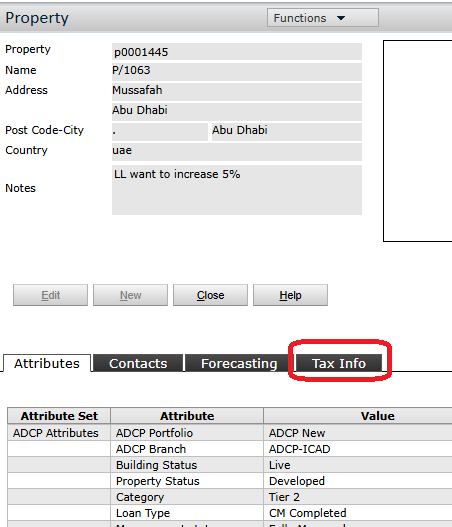
- On Building Details Page click Tax Info
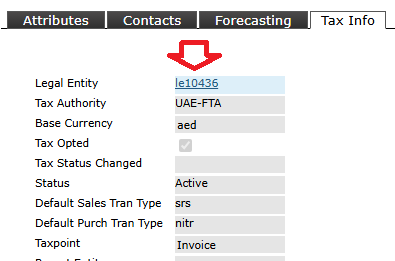
- Click the Legal Entity number
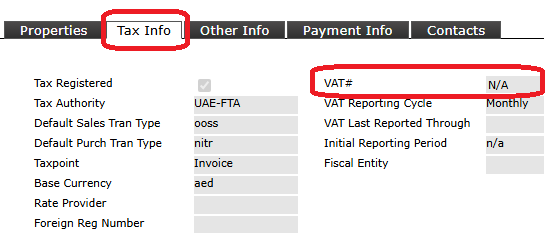
- Select Tax Info and VAT # will show a VAT # if Bldg is VAT Registered and N/A if Bldg is Not VAT Registered
Was this article helpful?
That’s Great!
Thank you for your feedback
Sorry! We couldn't be helpful
Thank you for your feedback
Feedback sent
We appreciate your effort and will try to fix the article